Fonts
Wisej.NET themes can use Web Fonts, System Fonts, Custom Fonts and Named Fonts. The table below describes each font type.
| Font Type | Description |
|---|---|
| Web Fonts | These are all the standard Web Fonts. Any font property in the theme can use the Web Font family names. |
| System Fonts | You may also use font names that are not safe web fonts in the same way you use web fonts. If the user machine has the font installed it will be used by Wisej.NET widgets, otherwise it will fall back to the next valid font name in the list. |
| Custom Fonts | You can import and use any valid font format: ttf, otf, woff, and woff2. See also Custom Fonts. |
| Named Fonts | In addition to the Web Fonts and Custom Fonts, Wise.NETj themes define their own named fonts. It's basically a font-indirection table that allows you to define theme fonts, such as "default", "bold", "title", "my-cool-font", ... Once the font is defined in the font section, every font property in the theme can use the font by name instead of using the full definition. If you change the definition of a named font, i.e. the size or style, all the widgets referring to the font by name use the new style. |
Any font property in the theme definition can use the following font definition map:
"fonts": {
    "default": {
        "size": 13,
        "family": ["Raleway"],
        "bold": false,
        "sources": [{
            "family": "Raleway",
            "source": ["data:font/woff;base64,d09GRgABAAAAAQjwABIAAAACHyQAAQABAAAAAAAAAAAAAAAAAAAAAAAAAA…"]
        }]
    }
}
Please note that if the web font added to the theme is not available to the .NET code on the server, Wisej.NET cannot use it for autosize controls. You need to download the ttf font file and make it part of the server installation.
Update: Starting with Wisej.NET 3.2 Enhanced Font Support allows you to use fonts without a server installation.
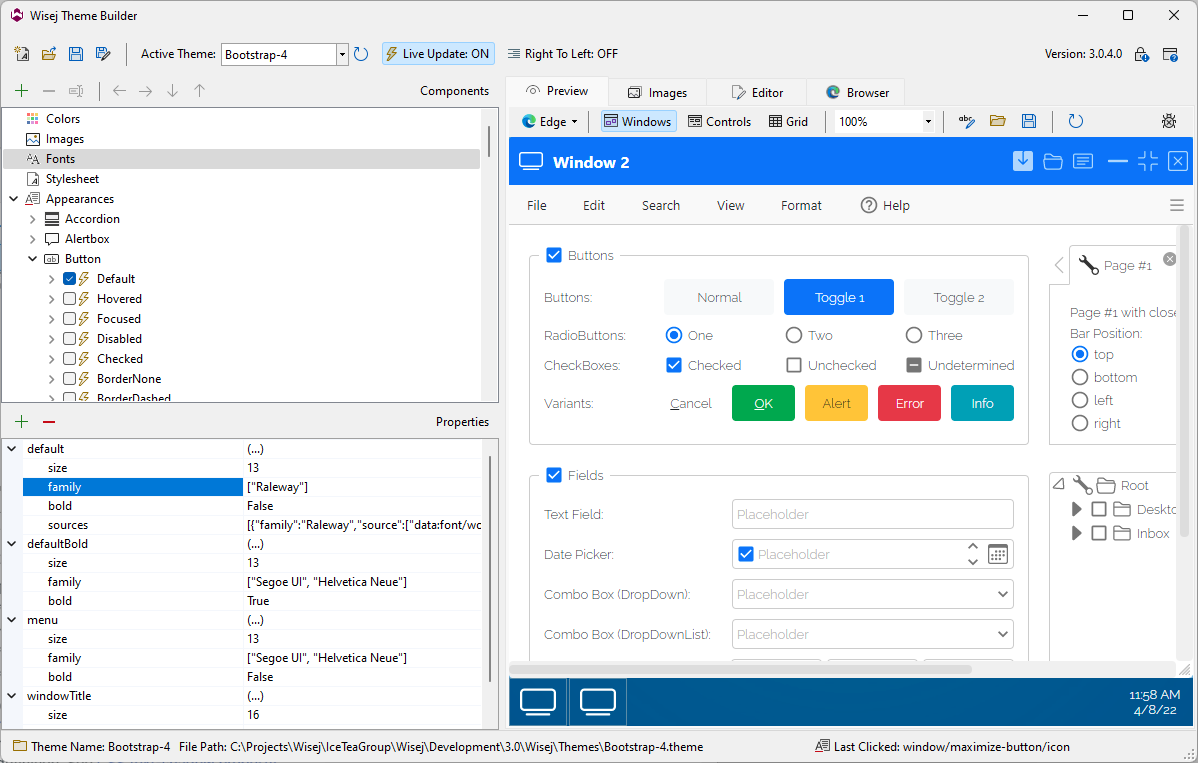
Notice the family source array, you can specify multiple format files for the same font (IE doesn't support woff2 so you always need .eot fonts to see the font in the Theme Builder or the designer).