Welcome
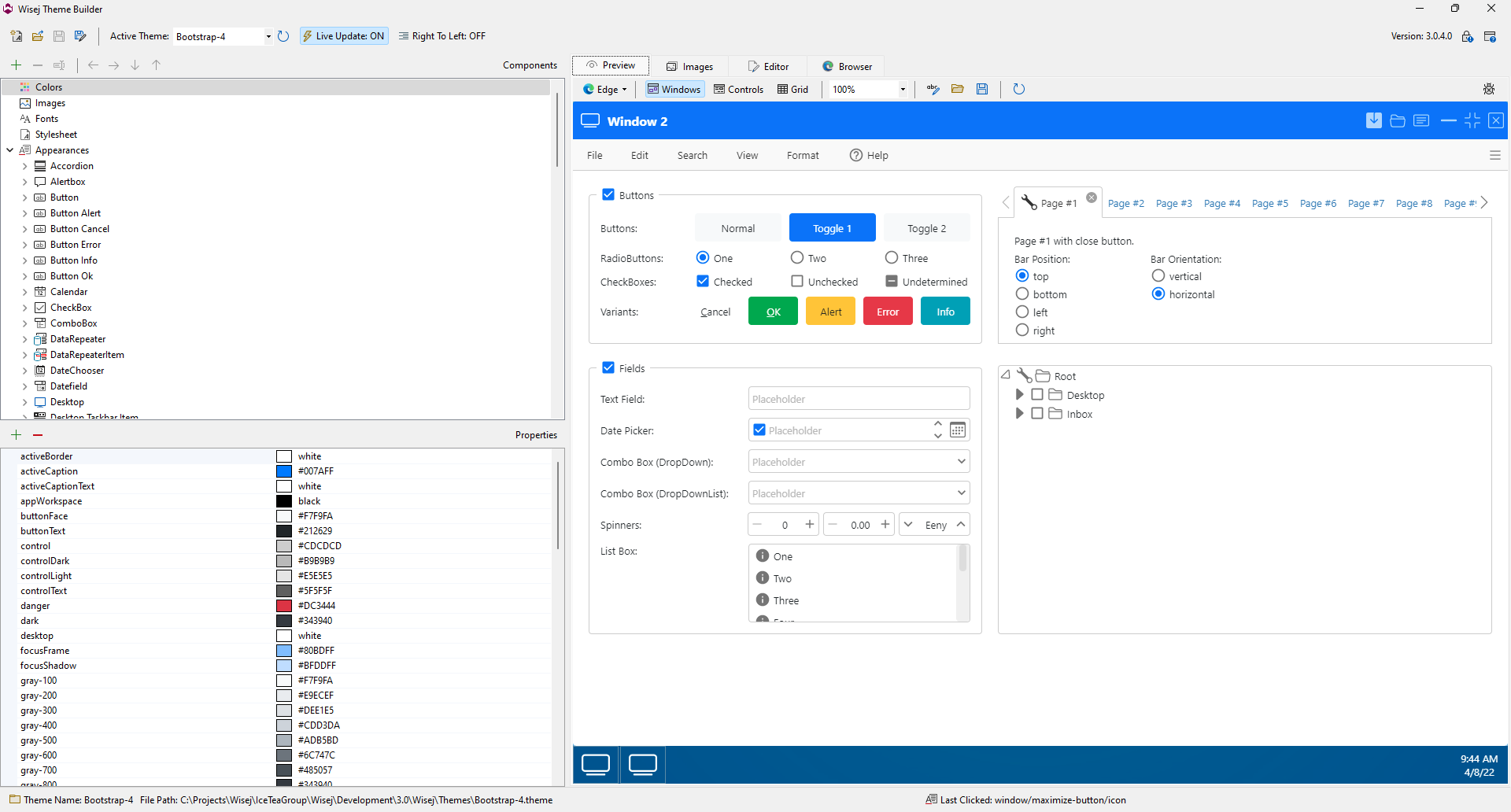
The theme system in Wisej.NET is quite powerful and goes beyond simple CSS, LESS or SASS. It is entirely contained in a single JSON file, including colors, images, fonts and appearances. You can virtually change any visual aspect of Wisej controls through a single theme file.
Main Window
Installation
The Theme Builder application doesn't need to be installed. It's a single self-contained executable that you can freely distribute to other developers or graphic designer professionals.
https://wisej.com/theme-builder/
MCP Endpoint
The documentation is also available through an MCP (Model Context Protocol) endpoint, enabling AI tools and agents to access it directly as a structured, queryable source. Instead of relying on static content or embeddings, MCP allows real-time discovery, search, and retrieval of authoritative information. Use the following endpoint to connect your AI client and interact with the documentation programmatically: https://docs.wisej.com/mcp.